Activities can be given a time frame for an activity series. Using the Series type function in the activity form, you can specify whether the activity series is repeatedly processed on a Daily, Weekly, Monthly or Annual basis. At the same time you can specify the duration of a series depending on the repetition pattern by providing a start and an end date, or the number of activities. The Series type lets you also specify whether all activities in the total period should be created immediately, or a the new activity should be created only after the conclusion of the preceding one. This has the advantage that incomplete activities always appear as the last ones, no matter whether the activity recurs in the series.

Activity series
Note: With appointments, emails, phone calls and letters you can set the Series type in the Additional data tab. The Series type function corresponds to the equally named function for creating tasks in Microsoft Outlook.
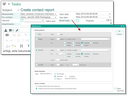
Settings for activity series in CRM tasks or in other activities (Additional data subform)