With the help of the Questionnaire module, staff members who were introduced to this topic can specify structured questionnaires interactively without programming knowledge, generate and make them available. Typical use cases are visit reports, phone guides, fair reports and customer surveys via the web portal. PisaSales standard supports these use cases with assistants and the option to include questionnaires where possible.

Questionnaires
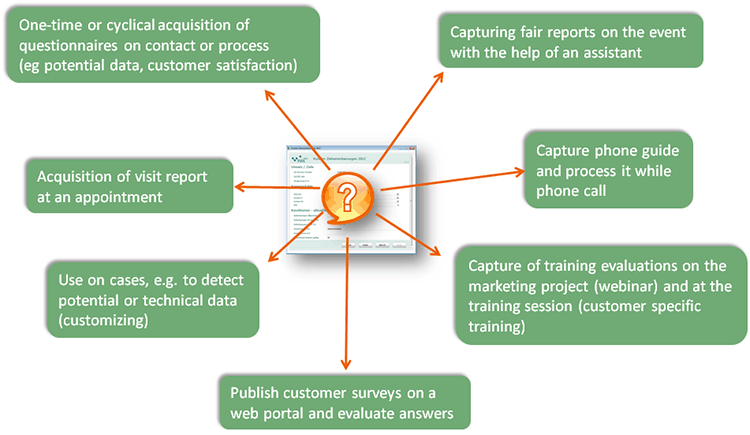
Range of application for questionnaires
After the responses that were given in a questionnaire have been captured and saved, they are stored in a central answer table. Depending on the use case, answer records with references to the questionnaire, the question, marketing action or process, and the contact and activity (appointment, phone call) are generated.
Several views of the answer table are available for analyses, e.g., with contacts for the account manager to assess, or in a marketing action for the marketing staff.
When using the questionnaire module, you generally proceed like this:
1. Specify questionnaire
Interactive definition of properties and content. Questionnaires can contain open or closed questions of different types (text fields, radio buttons, multiple selection check boxes, date selection, mandatory fields etc.). The layout is provided by dialog templates. In addition, features for conditional navigation, process automation (conditional operations) as well as representation and maintenance of real time data are available.
2. Create, check and test questionnaire dialogs
For this, functions in the questionnaire master form are available.
3. Provide questionnaire for use
This step includes the release via the status and – depending on the use case – the definition of case-specific and default questionnaires.
4. Use questionnaires and capture data
As an end user, you can open a questionnaire, capture and store the data using the questionnaire option of a contact (person or company), an appointment, a phone call or an event.
Through customizing, further use cases can be supported by making the questionnaire option and response lists available for a project folder or sales or service cases.
Licenses, calling, profiles and access
Required licenses
- The questionnaire module is included in the CRM standard. A named user license (server license) entitles any number of users to use the questionnaire module.
- If needed, the license
PSA_QSWis needed for customer surveys via serial emails. This is a server license that entitles to log in at the web client on questionnaires. - If needed, a developer license for adapting and extending available dialog templates for questionnaires is required.
Opening a questionnaire
Questionnaire master or specification form: Extras/Questionnaire
- Administration lists: Administration/Questionnaire
- Capturing released questionnaires: Function for filling out a questionnaire, visit report, phone report, fair report for a contact (person or company), appointment, phone call or event
Profile and access
The user view can be controlled by the questionnaire profile (View, Master, Admin). With the master or administrator role, you can open the questionnaire master, edit and generate it. Someone who wants to fill out questionnaires and view the answers requires the View profile.
The access key of the questionnaire master data is inherited by the linked data such as topics, questions, question options, the navigation and actions, however, not by the answer records.