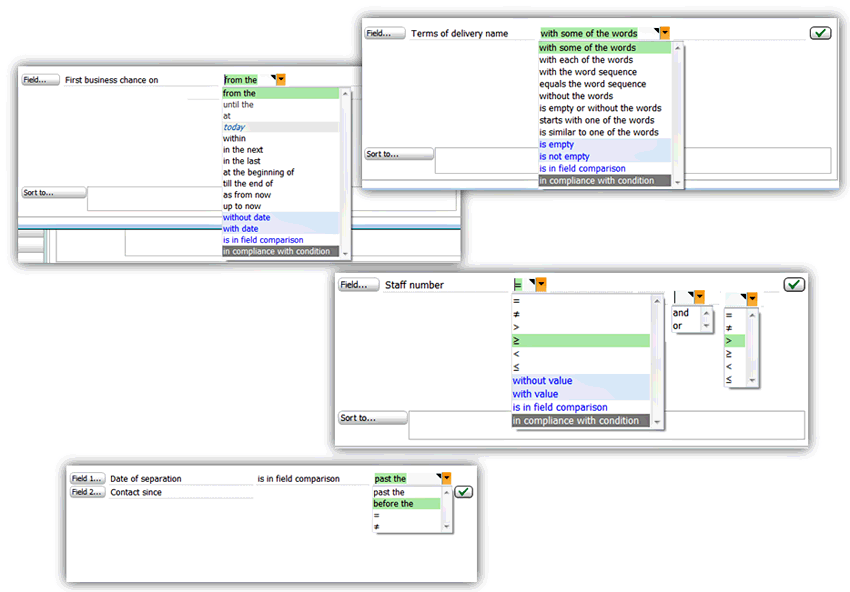
Once you have selected a field, it is best to enter the type-specific values and operators and transfer everything as a complete search condition to the list of search conditions.
Directly in this search list, you can also delete entries with a click, or make them editable to adjust or refine them in the editing area of the filter dialog.
Type-specific entries ("with some of the words", … "without the words", … "in compliance with conditions" etc.) are available as a selection in the editing area so that further conditions can be specified or customized as needed.
Also, a "field comparison" across several fields is possible where the conditions adapt themselves type-specifically, and can be compared directly (content "equal/unequal", or for date fields: "before/past", or for number fields: greater/less than, etc.).
With date searches, you can use further conditions without having to specify complicated strings or macros:
- Search for "today"
- "within" a period or timeframe (with given periods)
- "without date, "with date", etc.