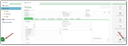
In the lower part of the form, JustRelate CRM shows system messages in a standard message bar. The message bar is hidden by default. If it is hidden, you will receive a pop-up notification that will automatically disappear after a short time. To see the notification permanently, activate the notification bar (Personalize or View/Sidebars menu).
Messages specific to a form are displayed only for the current form. The message bar is always associated with the active mask. After switching to another mask, the content of the message bar changes.
Messages are given a time stamp when they are output, so the message history is traceable when you switch to a different mask and see the messages there.
For multi-line messages, only the first line is displayed in the message bar. If required, the entire text can be displayed. Inside the message bar, you can use the context functions available after clicking the right mouse button.