With business opportunities and quotes, the case-total progress and the weighted turnover (revenue) are calculated by means of Get and Go probabilities. The entries are also displayed in the corresponding sublists of the project folder.

Go and Get for cases
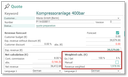
Go- Get probability
- Go: The probability for the case to take place
- Get: The probability for the case to be won if it takes place
Note: After transfer from a quote, Go is automatically 100%. In an order, the Get value corresponds to the progress.
The Go-Get probability mutually influences the weighted turnover (Revenue weighted) which results from the expected sales (Exp . revenue):
- Weighted automatically from the case status, or
- weighted manually independently of the case status.
Example:
100% Get corresponds to a weighted turnover of 120,000 €, but 50% Go results, all in all, in only 60,000 € of weighted turnover.
Note: Go can be overwritten manually at any time. Get is status-driven by default, and can be overwritten by setting the Manual flag.
Interaction of status, manual flag and success probability
How do the Manual flag and the success probability interact on a status change in business opportunities and quotes?
Generally, the success probability is automatically modified in the case of a status change of a business opportunity or a quote if the Manual flag is not activated. If the Manual flag is activated, the Probability needs to be specified manually. Exceptions to this are the two extreme probabilities 0% and 100% whose behavior varies.
Case 1
CRM standard behavior: The Manual flag of the business opportunity dialog and the quotes dialog has the default value n = not active:
Also with the flag activated, and status change to the target status with a success probability of 0% or 100%, the success probability of the sales case is automatically set to the corresponding extreme value. Only the interim values can be exclusively modified manually. This is suitable for customers who often want to generate their success probabilities automatically.
Case 2
Customizable behavior: The Manual flag of the business dialog and the quotes dialog has the default value y = active:
An activated flag prevents the Probability from changing automatically. This is suitable for customers whose Status and success probabilities are decoupled from each other.
In both cases, the Manual flags are never automatically changed.
Handling of Go and Get values when transferring
When cases are transferred to a follow-up case (ascending order),
- the state of the manual flag is applied,
- with the manual flag activated, the Get value from the source case is applied,
- with the manual flag deactivated, the Get value is provided by the status.
Note: If the manual flag is deactivated, the administrator must ensure that the values for the quotation statuses (in the standard, the initial status "Quotation creation" = 30%) are greater than the values for the business opportunity statuses (in the standard, maximally 20%) by assigning the appropriate percentage values to the process statuses of the business opportunity and quotation.

Attention, exception: When transferring to an order, in case 2, the progress is not applied from the source case but set to 0% because the progress in the order no longer represents the success probability but the completion progress.