A contact can have various statuses, an active (OPN)or inactive one (DON), that the account manager can set. For example, "locked" or "resigned" are inactive statuses. The "Employees" sublist on the company form (external and internal) has the "Status" quick filter that filters for active ("active") or inactive ("inactive") employees. This allows you to show in extensive employee lists inactive contacts only when necessary and thus keep the list manageable.

Status of external contacts
For internal persons and companies or departments, different processes and contact statuses apply in some cases, since the login and permissions for the CRM system are connected here. The status of internal contacts is usually managed by an administrator.
In the CRM standard, there are the following contact statuses for external contacts:
External company
- active (OPN)
- in process (OPN)
- inactive (DON)
- no longer exists (DON)
- locked (DON)
- imported (OPN)
External persons
- active (OPN)
- in process (OPN)
- inactive (DON)
- retired (DON)
- locked (DON)
- imported (OPN)
- deleted according to GDPR (DON)
The status change of contacts from "active" to, e.g., "inactive" triggers the change of the maturity from OPN to DON, and the font color of the record changes to red.
Managing the mail lock
If a person has an inactive status (DON), a mail lock is automatically set (Privacy tab of the person). In this case, it is no longer possible to reply to any correspondence (email) from them without further ado, as not every editor can reset the mail lock.

Admin: By means of the variable PSA_CON_OPR_DON_SET_COM_CLS (user and group-specific), an administrator can specify whether the mail block is set at all when a contact reaches a final status (DON). This also ensures, for example, that external contacts who are allowed to set the final status themselves via a customer portal can still communicate via correspondences.
Note: This variable affects all DON statuses of the contact. For individual statuses, one can only set the value of the variable to n and execute an action user exit for the desired status.
Data protection tab
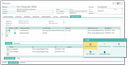
Protocolling data protection attributes
Note: First enter all important personal data, and then take care of data protection. It is important that the person concerned is informed promptly and that their consent is obtained and recorded.
§GDPR: See GDPR-compliant registration of persons
Mail lock
Setting a contact’s mail lock will exclude the person from any incoming and outgoing email communication. The mail lock can only be reset manually. A mail lock is not automatically reset when the contact’s status changes.
Assigning a person to several companies or organizations
Note: External persons might be associated with several companies. You can create these relations for external persons via the Additional data/Contact relations subform. Note that only a single record is displayed in the header form of the external person as a company if you have several records.
In the Contakt relations tab, section as employee in following companies, you can use the Position field to differentiate the company affiliation. If the relation with the main company is deleted, the position is emptied for the person. Conversely, the position will be transferred if a main company is assigned to the person.
If you want to put employees in relation to each other, you should also use the Contact relations tab, section to other companies and persons.
Note: When you assign a company to a person (company of the person), three attributes are checked independently of each other, two of which can be deselected via a query: Change envelope window or letter salutation, and retrieve all addresses of the company. If the (business) phone number, fax number and URL fields of the person are empty, these attributes are taken from the company (these are precisely the contact attributes that are more relevant to the company than to the person), and they cannot be deselected.