With the help of the sales region distribution, external contacts can be automatically assigned an account manager depending on the industry and region.

Sales area allocation by the administrator
Territorial allocation of account managers
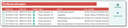
Assign account managers to region and industry and set validity of the rule
The account managers can be managed in the Territorial allocation administration table.
In this table (menu Administration(Contacts/...) every row defines a validity rule.
- Valid from/valid to: Maintenance of validity periods, additional flag Validity
- For a company, the validity can be switched off independently of the validity period
- For a sales region, several industries can be defined, including an account manager for each of them. If the industry entry is blank, the industry is not taken account of when the regions are partitioned.
Sales region partitioning through "Distribution"
For the sales region partitioning, the administrator has the Distribute function available in the Territorial allocation list. This function applies the rules to all external companies present in the system, and also reassigns the account manager in the companies concerned if necessary.
The function browses all external companies and assigns the account manager to them, if their region and industry are set, or if the industry is not specified.
Please note that
- the function only supports ZIP regions,
- the affiliation of companies to subregions is taken into account,
- the affiliation of companies to subindustries is taken into account.
Existing account manager entries are only changed if the Automatic area partitioning flag is switched on for the company.