The administrator can prepare the respective region form for the application by choosing a coding and generating a graphic card view.

Creating and managing regions
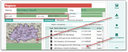
The administrator generates the presentation for end users
- In Zip code, you can enter five digits (14050) or single digits, e.g., 1,2,3. For Germany, Austria and Switzerland, postal codes can also be subdivided into post code zones (first position), postal code regions (first two digits) and postal code areas (first three digits) (e.g. 0-3). In addition, when structuring, it is important that only(!) leaves have postcodes, and not the superordinate elements.
- In Geo code you can enter one (e.g., DE3) or several NUTS regions (e.g.: DE3, DE4).
- Per region, only one coding method is allowed. Entering a ZIP code deletes the geocode and vice versa.
- The subregions of a superordinate region must be coded using the same method. If this is not the case, a message is displayed when the visualization is generated.
- Regions (Europe) and NUTS keys can be imported and offered in the standard.
Editing regions immediately affects the region masks for the end users.
Generate picture
The Create function persists the card presentation for the region. In accordance with the coding, the region on the card is displayed in color. If the region is structured, the subregions are displayed in different colors.
Assign companies
The regions should always be built and structured correctly first. Using the Assign companies function, the administrator can reassign all companies to the respective regions. This function
- determines all companies whose postal address is in the region, and builds up the relation between the contact and the region,
- assigns subregions if the region has subregions.
Note: This function lets you assign ZIP regions only. Doing this, overwrites existing assignments.