Managing resource groups

You can maintain resources of the Resource group type in the Resource groups form that can be opened via the Sales/Resources/Resource groups menu.

A resource group may include resources of any type as Grouped resources, e.g., rooms, vehicles, demo machines, technicians, etc. A resource group can contain no further resource group. Every resource can be assigned to several resource groups.
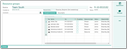
Administration of resource groups

Leading resource within a group

Within a group, exactly one resource can be Leading (ON).

Leading

If a leading resource is assigned to an appointment activity, all the other resources in the group are automatically assigned as well.

Example: This feature can be used if, for example, a demo machine that gets assigned to an appointment always requires other resources (trained technicians, a special measuring device) to be automatically assigned as well. For this purpose, you would create a “demo machine 1” group containing the demo machine, the technician and the measuring device under Leading, and set the “Leading” flag for the demo machine.

Note: For clarity and comprehensibility, no resource should be marked as leading in more than one group. You should also avoid defining a staff member resource as leading.