In the CRM mailbox, all emails and messages (appointment invitations) from the groupware account of the logged-in user are displayed. Only synchronized emails (usually business emails) are stored in the CRM system.

Access security for groupware accounts
Note: To avoid displaying “all” emails in the groupware mailbox, you can use filter rules to move emails that are not of a business nature to other folders.
To protect access to the groupware account via the mailbox, there are mechanisms that check whether the logged-in user is permitted to access the groupware.
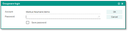
Groupware password dialog
For the server configuration, there are two server properties that can be used to control and restrict access to the groupware. The properties
gwc.prf.enagwc.prf.dis
are managed on the application server in the file named "server.properties". Thus, they apply only to the application server that is launched with the corresponding "server.properties" file. They are not mapped in the repository!
Groupware user must exist
Both settings expect groupware login names separated by semicolons. These are exactly the names to be entered in the Administration/Contacts/Groupware users list in the Groupware User column.
Examples:
gwc.prf.ena=alice;bob;carlagwc.prf.dis=Lothar Lehmann;Norbert Neumann
Both settings are case-insensitive, meaning that "alice", "Alice", "ALICE" etc. refer to the same groupware login name, i.e. the same groupware account.
Whitelist gwc.prf.ena
If this whitelist is set, then only exactly these groupware accounts may be accessed. All other groupware accounts are considered inaccessible. So, in the example above, only the groupware accounts "alice", "bob" and "carla" can be accessed.
Blacklist gwc.prf.dis
If this blacklist is set, the listed accounts are excluded from groupware access. All other accounts are accessible.
Usage
It makes sense to define only one of the two settings at a time. If you have defined both settings nevertheless, then only those groupware accounts are accessible that are included in the whitelist and not also included in the blacklist.
The whitelist is the stronger restriction. If you want to specifically allow access to only a few selected groupware accounts, then this can be easily achieved with it.
The blacklist list can be used to explicitly exclude individual accounts from groupware access, while in general all configured groupware accounts should be accessible.
Note: The use of these settings should be planned as exactly as possible in advance. After updating the running system (Development/Tools/Compare Server Properties menu), any subsequent change usually requires the application server to be restarted, or at least all users to log in again.
General
When the mailbox is loaded for the first time, a check is always performed to determine whether access is permitted. The result of this check is stored at the session so that no new check is performed until logout.
- A user with domain account and desktop integration, i.e., with confirmed single sign-on, will never be asked for the groupware password.
- A user without single sign-on is prompted once for the groupware password. The user has three attempts to enter a valid groupware password.
For domain users, the Exchange or (Lotus) Domino password is usually identical to the password for the Windows login.
The option "Save password" permanently stores the password if the password check was successful. Then, future queries are omitted, which especially affects users with non-Windows computers.
Security
The security is guaranteed. Even after resetting the CRM login password (e.g. by an administrator), the groupware password is requested when opening the mailbox. A finally failed access check is also saved in the session so that no new query takes place when the mailbox is reopened in the same session. This means that after a failed access check, the mailbox remains empty; no records are loaded.
The email import job has nothing to do with the mailbox (dialog), and is not affected by this in any way.

Attention: As with any password, the same applies here: Do not use trivial passwords to log into the system, and do not share the password with anyone. If another CRM user knows the password of your JustRelate account and logs into it (without having to delete or change the password before), and if then a valid groupware password is still stored, the mailbox can be loaded without a query.
Tip: The "Save password" option lowers the security level. For this reason, please check if this is really necessary. Ideally, all non-admin users have "NOPWD" as their JustRelate CRM password and can only access the system via auto-login (single sign-on). Then, no unprotected access to the mailbox is possible.

Admin: The check is passed with "ok" if
- the previous check in the same session was successful,
- the session was started with a validated domain account with the same name as the CRM account, i.e., "single sign-on" (desktop integration required),
- a previously permanently stored groupware password other than "NOPWD" was successfully confirmed by the groupware,
- the user has entered a valid groupware password.