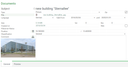
All modern smartphones and tablets are capable of storing photos together with geographic coordinates. This makes it possible to later determine the geographical position at which a photo was taken. With the help of the CRM App, you can directly store these images in the CRM system and link them with the relevant data. Via the local file system, this is also possible with the Enterprise Client. The import function treats the photos as files and creates new documents in the CRM, which are further described in Documents and Folders.
When you import an image file in JPEG format, the CRM searches the metadata of this file for coordinates and extracts them. The document form shows you the coordinates found, and the "show on map" function allows you to display the position on a map.