
The Email Builder lets you customize the alignment of email elements, for example an image, a text or a button.
Customizing the alignment of an element
The application scope of an element’s alignment
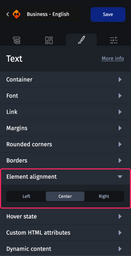
The "Element alignment" category is located in the "Styles" tab of the design pane. It is available for all elements, except for the "Section", "Slider" and "Code" elements.
Customizing the alignment of an element
To align an element, select it, then from the “Element alignment” category, click “Left”, “Center”, or “Right”.

If your element is 100% wide, the alignment will not be visible because the element will take up the entire available width.