When using the workgroup file server, several processes for working with documents exist:
- Viewing a document in the subsidiary
- Editing a document in the subsidiary
- Creating a document in the subsidiary
- Adjustment of the documents

When using the workgroup file server, several processes for working with documents exist:
When staff members access documents in subsidiaries, the following cases can be distinguished:
Should the file on the file server not exist or be older than the one on the application server, it is transferred synchronically from the application server to the file server.
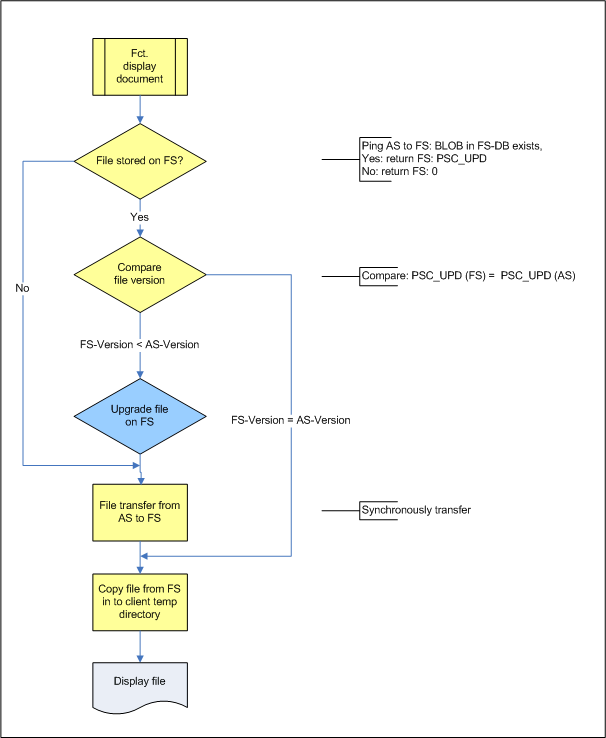
Transfer process between file server and application server when viewing a document
When staff members edit documents in subsidiaries, the following cases can be distinguished:
If a file is updated on the file server, the system makes sure that the new file version is transferred to the central application server immediately after it was edited.
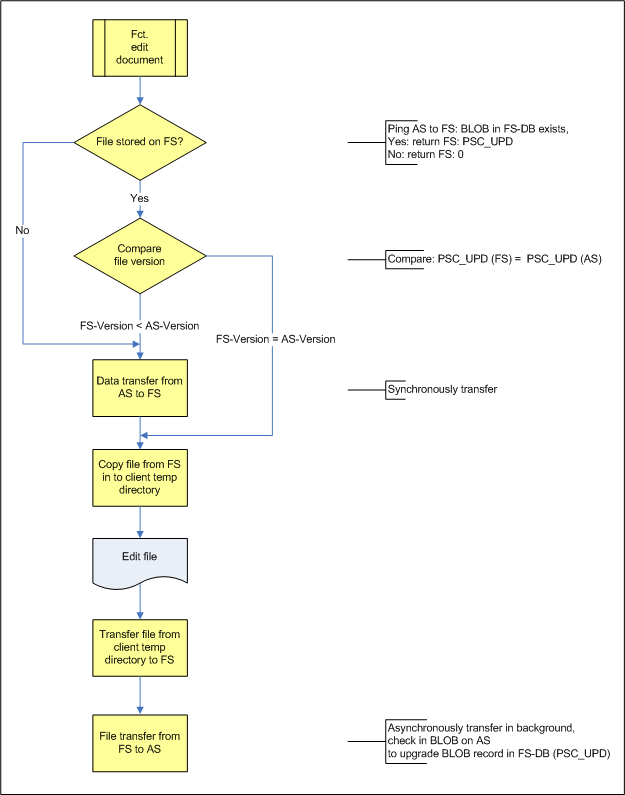
Transfer process between file server and application server when editing a document
After storing a new file on the file server, the system makes sure that the file is immediately transferred to the central application server.
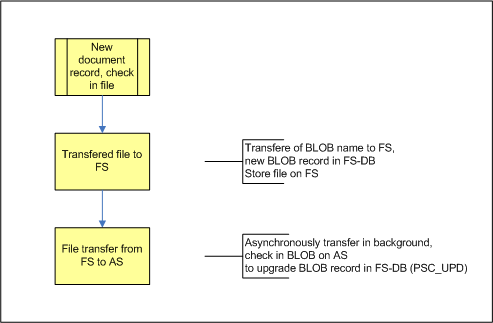
Transfer process between file server and application server when creating a document
The adjustment of different file versions between the file server and the application server is triggered by a job that initiates a batch process (periodically, e.g., once every night). The job controller is a component of the file server configuration. The application server retrieves the list of the BLOB records from the file server database, compares these BLOB records with the centrally stored BLOB records, and initiates the following operations:
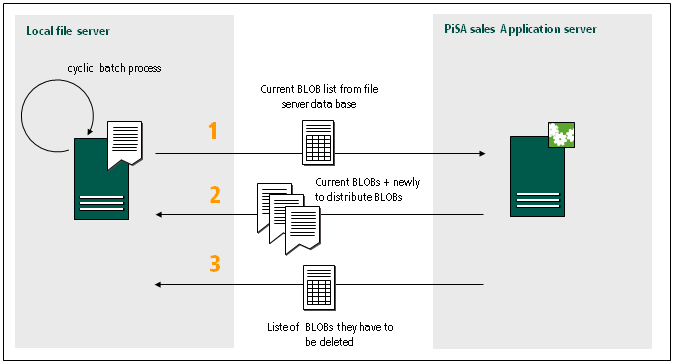
Batch process with the adjustment between file server and application server when a document is created