All templates used for the questionnaire module, types, parameters, etc., can be managed via administration lists (Administration/Questionnaires menu).

Managing questionnaire attributes

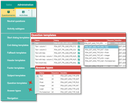
Administration lists for questionnaires
In the Questionnaire templates table, you can define which dialog (which template) is available for the respective type. If no types are registered in the table, this template can be selected for any type.
In the table on the screenshot you can see, for example, that the Text type [PSA_QST_ANS_TYP_STR] is registered for three templates:
- Text
- Text (multiline)
- Country selection
In addition, the Radio button, Multiple selection and Choice box templates are provided, because they are associated with no type directly (no entry in the Type field).
In some lists, templates can be activated or deactivated (Active field), so that they either appear or don’t in the selection when specifying the questionnaire. Thus, you can release templates only when required, or prevent them from being selectable in the questionnaire.
Actions and action parameters
The JustRelate CRM standard delivers standard action implememntations and action parameters already as proposals. Of course, you can extend and adapt them as required.
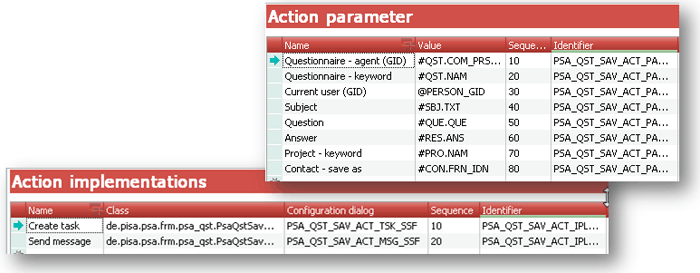
Managing action parameters and implementations
Note: The actual templates (dialog objects) or action implementations can only be modified by a user with basic customizing experience and knowledge of the CRM data model. Please contact your project engineer at JustRelate if changes to the design and layout of the dialog templates components are needed, or special parameters should be used.
Action parameters serve to configure an action, e.g., regarding the selection of the person responsible or of the recipient of automatically created messages (Account manager, Technical or Business agent, Team, …).
Teams as action parameters
For a message sent to a team to reach all team members, it is required that special action parameters are provided through customizing, which use the individual names of the teams as a value next to the database table and the GID.
Example:
- Name of the action parameter: Team marketing
- Value:
#PSA_PRS_GRP_TEA.PSC_GID to ='Team marketing' NAM
Admin, Customizer: At the action implementation, you can find the Parameters field. Here, the customizer can fine-tune the action implementation executed with specific questions, so that the questionnaire creator can access it while entering or changing the GID of the corresponding component. This way, the questionnaire creator needs to adjust fewer action settings.