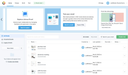
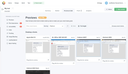
After having created an email template, you should test it to make sure that the look of the emails generated on dispatch meet your expectations. Your browser may render the markup properly, but one or the other email client may fail to do so. For testing the result, the Web Builder provides a prerendered HTML email.
Testing a Template
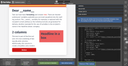
To be able to generate this markup for you, the email template must have been published. Then open the template’s properties via the main menu at the top right, or via the “Properties” sidebar, and select the “HTML source” tab.
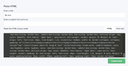
Then, click the “Get HTML Source” button to have the final markup displayed in a text box. You can now copy the contents of this box to the clipboard.
Testing the markup with Litmus
Paste the copied source markup to Litmus and check if the email looks and feels as desired in as many email clients as possible. If there are issues, the majority of them will most probably concern newer versions of Outlook or Gmail’s web mailer.