The questionnaire layout

The layout of a questionnaire is determined by the following dialog templates:

  • Header and footer template,
  • start, end and fallback dialog template (presentation of the content),
  • subject template (presentation of the topic heading),
  • question template (presentation of the question, the help text and the answer options).

The templates can be managed in the administration section and be selected in the Master data, Subjects and Questions tabs.
Questionnaire colors and corporate design

The corporate design (colors, logos) of your company, which can be defined by means of a color scheme and variables, can be presented in questionnaires for web sur­veys.

The colors can be set using the PSA_CLR_SCM_QST_... color scheme variables (Administration/Tools/Color scheme).

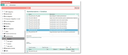
Logos and function buttons in the header and footer can be adjusted via variables (Administration/Preferences/category: Questionnaires/Creation).

  • PSA_QST_PIC_LOG
  • PSA_QST_ICO_NAV_NXT, PSA_QST_ICO_NAV_BCK
  • PSA_QST_ICO_NAV_ABO, PSA_QST_ICO_NAV_DON, PSA_QST_ICO_NAV_SAV

The corresponding BLOBs must be available, of course.

Questionnaire corporate design, the header logo in this case