In a questionnaire, you can display real time data from the system. You can, for example, for the purpose of preparing an appointment or a discussion, provide the creator of a visit report with current header data (name of the contact, phone number, industry and sales region, contact status, account manager or turnover KPIs).

Real time data from the CRM system
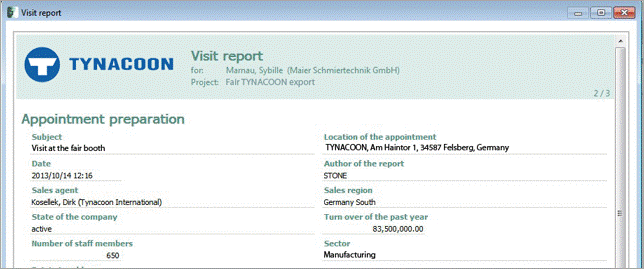
Header of a visit report
The data in the header of a visit report, for example, is automatically taken from the context in which the questionnaire is opened. In this case, it was a visit at an exhibition booth, including contact, appointment and event data.
It is also possible to write adjustments made by the creator of the questionnaire back to a relation record (i.e., the contact, appointment or case).
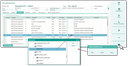
Standard entry supported by the field browser.
To specify the details, proceed as follows:
- In the questionnaire master, a loader must be specified. The loader selection can be maintained in the Questionnaire loader administrator list. As a default, a standard loader exists for every new questionnaire.
- Reading data: Define a question and specify the path to a field from the loader in the Standard entry field. The Select standard entry/Data function supports you with this. It opens a field browser from which the paths contained in the loader can be selected.
If the possibilities of the standard loader are insufficient, the questionnaire developer – with corresponding knowledge of the CRM data model – can build their own loader. A questionnaire loader requires on the first level at least the four elements of the answer record (questionnaire, contact, activity, case). - Writing Data: On the Action tab, define the Save answer in field action for the question field. As the operator, always select "*". Via Configuration/field, the field browser can be opened to select the path to the destination field. If the destination field cannot be written to directly (e.g., in case it is a component field), the write operation must be realized in the Save-userexit (requires customizing).
If no write-back action is defined, the changes are written only to the answer record and not to the destination field of the relation record. - Writing back components and menu selections: Special classes are available in the action implementation.
de.pisa.psa.frm.psa_qst.PsaQstSavActSetComde.pisa.psa.frm.psa_qst.PsaQstSavActSetMen
Not only individual field values can be written back, but also components and menu selections, as for example industry, region (component) or communication language (menu selection).
See also: Action implementation by using classes on the required action implementations