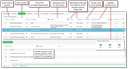
Questions and answer options

For each topic, you can define questions, each with multiple answer options. In this case, the questions are closed questions. For later analysis, it can be helpful to specify a unique identifier for each answer option.

If no answer options are specified, then the questions are open and allow any answer.

Subject-related questions with answer options

Identifier for questions and answer options

With the help of a unique identifier, searching multi-language ques­tion fields in answer lists becomes possible. Furthermore, the identifier can be referred to by actions or when navigating. This allows you, for example, to navigate via a language-neutral question or answer, or an action can take place (then YES is irrelevant, only the ID matters).

The Select standard entry select function for a question allows you to enter a default value (answer option or macro).

Type and template

Using Type and Template, you can control the appearance and the input option for the interviewees. For example, you can provide answers (answer options) that only need to be ticked by the interviewees, or you can define text fields into which the respondents can enter their answers. Date values can also be specified by using a calendar control.

Please keep in mind that the answers should lead to results that can be analyzed. At the end, all answer options chosen by the interviewees will be transferred as text or in some other form from the ques­tionnaire to the corresponding answer lists.

The type and template are complementary. The selected type determines which template is avail­able.

JustRelate CRM offers the following answer types:

  • Text: single-line text field, unformatted
  • Date: date field, calendar selection, if needed
  • Float: floating point number field
  • Integer: number field
  • Logic: Yes/No field, if necessary, third condition, blank (see note)
  • Formatted text: CLOB text field

Depending on the type, a selection of the templates corresponding with the type is offered. Note, however, that not every combination of a type and a template makes sense if they are not backed with further suitable data, e.g. answer options.

Note: If a non-mandatory logic field with three conditi­ons is required in a questionnaire, then only one of the "logic (blank)" or "logic (blank) with help" templates can be used.

Subheadings

You can insert space between questions that is not related to topics and questions. In the CRM standard, the Headline and Headline with help question templates are available as examples.

Single or two-column layout

In the standard, numerous question templates are already available to you. They can be categorized as follows:

  • Template set without help text
  • Template set with help text
  • Template set for a two-column layout

Example of a two-column layout:

  • Question 1: Template =Text (multiline) with help - column 1
  • Question 2: Template =Text (multiline) with help - column 2

or

  • Question 1: Template = multiple choice with help (for single and two-column layout)
  • Question 2: Template = multiple choice with help - column 2     

Note: Do not use column-2 templates for a first column.

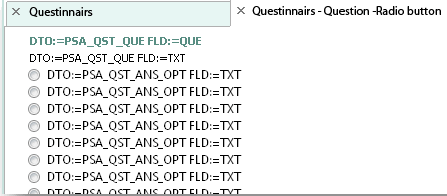
The link on the template entry opens a preview in which you can see where the component will be placed in the questionnaire.

Preview of a dialog template