Answer-related automatic actions

You can automatically trigger actions for specific answers. As the action, you can have a task generated, or a message dispatched.

Example: Automatic generation of a task, "Add to the news distribution list", for the account manager of the contact, if the creator selects for the question "Which information is desired?" the answer option "Tynacoon NEWS".

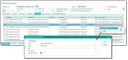
Configuration dialog to set action parameters

The person responsible or the recipient of an automatically created message can be selected in the configuration dialog of the action, e.g., the contact’s account manager, or the business or technical agent of a case or project.

The system executes the actions when the questionnaire creator finally saves the questionnaire (Ready button). Storing the questionnaire intermediately while filling it in (forward or backward button) does not cause any actions to be executed. If the questionnaire is saved conclusively several times, the message or task is not generated once again.

An automatically generated activity receives the activity of the answer set as the top activity, and as the main case the case from the answer set, if it includes this information. Thus, the responsible agent can quickly obtain the response information they need (e.g., which documents should be sent). The steps are: 1. Open the top task via the hyperlink, 2. View the questionnaire responses.

For an automatically generated activity, you can control whether it should be given the Delegated status or not, if a person responsible is set.

For this, the Delegate activity flag is available in the Create activity configuration dialog. This feature allows you to monitor automatically generated activities using the standard tools (notification of storage, handling, tracking, etc. in the Entry Portal view "Delegated").

Recommendation for customizing

Anwers in the comment field

In the standard, no answers are written to the comment field of an automatically generated activity. This can be realized through customizing if, for example, questionnaires (without an activity) are directly opened for a person. In this case, it is recommended to write all answers of the topic concerned into the comment field, via customizing.

Questionnaire extension for the signature

The BLOB data type is supported for questions and answers as well as in the standard read report for BIRT to be able to insert images (e.g., scanned signatures). This requires adjustments in the customer's own loaders.

Info

Admin: This is important for customer-specific reports:

  1. The Dataset QUESTIONS_AND_ANSWERS needs to be extended to "TEXT_BLOB".
  2. The visibility of the detail line for the "Text" type must be extended by a search restriction:

    !(row["TEXT"]!="" && row["TEXT_DATE"]==null && row["TEXT_FLOAT"]==null && row["TEX­T_INT"]==null && row["TEXT_LOG"]=="" && (row["TEXT_BLOB"]=="" || row["TEXT_BLOB"]==null))

Note: Until further notice, BLOBs will not be supported for questionnaire evaluation, because we do not believe that this use case requires statistical evaluation.

Please contact your JustRelate project engineer for information on how to implement the adaptations if neces­sary.