
JustRelate Home is your starting point for all your JustRelate services. It lets you create Projects for building landing pages with the Web Builder, as well as emails using the Email Builder.
Welcome to JustRelate Home
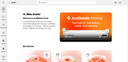
Modules are reusable pieces of email content for use in the Email Builder, e.g., headers, footers, or other recurringly used content containers. By combining modules, you can quickly put together your emails and ensure that they are visually consistent.
Dynamics refers to connecting data sources to your email templates, allowing you to use the data as dynamic content.
Using Automations, your emails become building blocks in marketing campaigns designed to keep in touch with your audiences via newsletters, product news, invitations, and the like. Here, workflows allow you to send follow-ups, and to split mailings based on the actions the recipients have taken.
Assets lets you import and organize the image files you are using or intend to use in your emails.
The Settings section, accessible through the  button at the top right, is for managing system-related resources and data, e.g., users, API keys, and your brand’s preferred tone of voice in textual communication.
Navigating in the portal

In JustRelate Home, you can organize your projects, modules, and assets using folders, allowing you to structure your data according to your preferences.

In addition to the main navigation on the left-hand side, there is a top bar and a breadcrumb navigation below it, which is particularly useful when you need to navigate back and forth between nested folders.
The top bar lets you (from left to right) hide the main navigation, select your organization (if you have several ones), and search for data, e.g., emails. The gear button is for opening your Settings, and the menu behind the  button lets you, among other things, access your JustRelate Console for managing your organization, including its users and teams, visitors, etc., provided that you are permitted to do so.
The user button to the far right includes items for opening your Profile, and logging out.