Dynamics

Dynamics

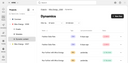
The “Dynamics” area lets you connect data sources to your email templates, allowing you to use the data as dynamic content. By generating, for example, a CSV file from product data stored in a database, and then importing this file here, the source becomes available as a data flow from which individual items can be selected for use in various template elements. External data can also be sourced from RSS feeds.

The Email Builder synchronizes (reloads) the data sources on a daily basis and automatically updates the email template elements referencing the data items from the corresponding source. This eliminates the need to adjust the elements manually, and reduces the risk of errors when entering such content manually.
Importing external data

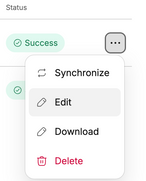
To import external data, click “New feed”, then specify the name of the new data flow and its source URL (and optionally a description). Clicking “Create” imports the data. Afterwards, click “Edit” from the “More” menu of the data flow to configure which of the items included in the data source should be made available for selection in the Designer.

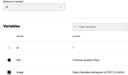
First, select the variable that uniquely references the data records. This will be id, guid, or something similar in most cases. Then, check the variables you intend to use in your project’s email templates. Finally, click “Save changes” at the top.

As a result, the records become selectable in the Designer via their ID, and you can then pick the desired variable to have its content added to the template element being edited.

For further details, see the corresponding Email Builder documentation.

CSV file structure

Think of a data source as a table consisting of rows and columns. The first row specifies the column names (headers), and the following rows are the “records” containing the actual data. The items in the first column make each row unique by means of an identifier. Here’s an example:

id;artist;title;subject;year;period
1;Leonardo da Vinci;Mona Lisa;Lisa del Giocondo;1503;Renaissance
2;Michelangelo;The Creation of Adam;Sistine Chapel;1512;Renaissance

For your data to be imported properly from a CSV file, the following conditions must be met:

  • The file must be non-empty and UTF-8 encoded. (ASCII is a subset of UTF-8.)
  • The file must include at least two and may include up to 100 columns.
  • All rows must be comprised of the same number of items.
  • The items may be enclosed in double quotes.
  • The items must be separated with a comma (,), a semicolon (;), or a pipe symbol (|).
  • The column names must be unique.
  • The “record” (row) identifiers (e.g., the items named id) must be unique as well.
  • Double quotes inside an item must be doubled (e.g., 24"" screen).
  • The file structure and encoding must not be changed after the import.

For optimal performance, we recommend only including those pieces of data in your CSV files that you actually want to use in your email templates.

Once you’ve added a CSV data flow for the Email Builder, its structure and encoding must remain the same. Otherwise, the flow data used in your Email Builder templates cannot be updated, and the most recently imported, consistently structured data will be reused. 

Should you have to make such changes to your flow, delete the initial one, and reimport the flow with the new structure. Then reconfigure the template elements utilizing the flow’s data.

RSS feed structure

Regarding the Email Builder, the working principle behind RSS feeds is same as with CSV files: Both serve as a source of structured data that is made available for use in email templates. However, RSS is a dialect of XML, meaning that the contents of RSS feed files is structured hierarchically.

RSS feeds to be used as a data flow for Email Builder templates must follow the RSS 2.0 specification

Show RSS feed example 
<rss xmlns:atom="http://www.w3.org/2005/Atom" version="2.0">
  <channel>
  <title>Paintings</title>
  <link>http://example.org/</link>
  <description>Renaissance Artists</description>
    <item>
      <artist>Leonardo da Vinci</artist>
      <title>Mona Lisa</title>
      <subject>Lisa del Giocondo</subject>
      <year>1503</year>
      <period>Renaissance</period>
      <id>1</id>
    </item>
    <item>
      <artist>Michelangelo</artist>
      <title>The Creation of Adam</title>
      <subject>Sistine Chapel</subject>
      <year>1512</year>
      <period>Renaissance</period>
      <id>2</id>
    </item>
  </channel>
</rss>