Finding and managing content in Home is now easier, with more relevant search results, direct access to content details and actions, faster navigation and clearer user administration.

Find and manage content more easily in Home
Latest updates to JustRelate Home
Posted on November 6, 2026
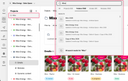
Find the right content faster
Searching in Home now yields more relevant results and additional context to help locate content across projects, folders, emails and modules.
Improvements include:
Recently updated content first – the most recently updated content now appears at the top of the search results.
More contextual search results – last update information and project or folder paths help identify the right content, even if several items have similar names.
Direct project search – projects can now also be searched directly from the dedicated project navigation panel.
More responsive search – search interactions have been optimized for a more consistent experience.
These changes make it easier to find recent content and navigate large workspaces without searching through multiple folders.
View content details and take action directly from Home
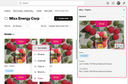
The details panel now provides a clearer and more complete view of projects, folders, emails and modules, with quick access to essential information and actions.
Improvements include:
Clearer content information – creation and most recent update details are displayed consistently, including who made the changes.
Content status at a glance – the current status of emails and modules is visible directly in the details panel.
Direct access to Email Builder – emails and modules can be opened for editing directly from Home.
Download as image – the latest available PNG of an email or module can be downloaded directly from Home, without opening the Email Builder or extracting a ZIP archive.
These improvements make content review, validation and sharing more efficient, with fewer steps between finding a composition and taking action.
Faster navigation and easier content management
Everyday content management has been improved to make working across projects and folders more efficient.
Improvements include:
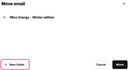
More flexible content organization – a new folder can be created directly when moving an email or a module.
Faster folder navigation – email and folder information becomes available sooner, while preview images (thumbnails) continue loading.
More consistent content updates – newly created or duplicated emails and modules appear correctly as folder content is refreshed.
These changes support more efficient navigation and content organization, particularly in workspaces containing large numbers of emails and folders.
User management improvements
Several adjustments have been made to improve the clarity and consistency of user and team administration in Home.
Improvements include:
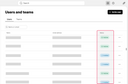
More accurate user status - invited users are now correctly displayed as “Invited” until their profile is completed.
Complete team member visibility – all members of a team can now be accessed, including in larger teams.
Clearer permission updates – role changes now indicate that updated permissions may take up to one minute to become effective.
These adjustments provide clearer information and more consistent feedback when managing users, teams and permissions.
Thank you for using JustRelate Home!