You'll find out all you need to know about optimizing HTML code weight with Darty's testimonial.

Analyzing and optimizing the weight of the HTML/CSS code in emails
Analyzing HTML/CSS code weight in the Email Builder
Are your emails truncated in Gmail? It's very likely that your email code is too heavy: the limit is 102KB.
In this article, we'll explain the rules for analyzing and reducing the weight of the HTML/CSS code in your emails.
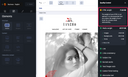
To carry out a code weight analysis, you need to make a difference between the weight obtained at the output of the Email Builder and that obtained at the output of the email marketing software (Email Service Provider). The quality control feature, accessible from the “validation workflow” pane, enables you to check the weight of your HTML code in the Email Builder (before exporting it and sending it from your email marketing software).
When integrating Email Builder code into your email marketing software, the weight of the HTML/CSS file may increase. Most email marketing applications modify the code to host media and add tracking. It is therefore recommended that the weight of the code in the Email Builder (displayed in the quality control) does not exceed 90KB.
Optimizing the weight of HTML/CSS code
-
Limit the number of spacers
- Whenever possible, it's better to use margins (top and bottom) to space out content rather than spacers. This option is available for image, text, button and video elements..
- Keep only essential groups
- Whenever possible, avoid nesting groups within each other. A column layout can be created directly at section level.
-
Use sections sparingly
- Avoid multiplying sections unnecessarily (e.g. a section consisting solely of spacers). Whenever possible, we recommend grouping several sections into one.
- Be sparing with links
- It's recommended not to apply links to all the elements of your emails, but only to potential areas clicked by users.
- To a lesser extent, the “Open in a new window” (
target=“blank”) option available for links slightly increases the weight of the email code. - Check and optimize the length of your links with URL shortener tools.
- Keep only useful special fonts & Google fonts
- It's best not to declare more than three special fonts or Google fonts for an email. Also check that the special fonts present in the settings are actually used, or delete them.
Other optimizations
When integrating Email Builder code into your email marketing software (Email Service Porviders), the weight of the HTML/CSS file may increase. Most email marketing softwares modify the code to host media and add tracking to your links.
Then, when using variables, the weight indicated in the quality control may be slightly lower. The final weight will depend on the size of the data injected into the variable during routing.
For more information about quality control, see Using quality control.
Conversely, when you integrate conditional blocks into your email, the weight indicated in the quality control may be high. However, when the email is routed (sent through the email marketing software), the conditional blocks are interpreted and only part of the content is routed. As a result, the weight of the routed code will be lower.
To find out the “final” weight of your email, you can, for example, check out the HTML/CSS code from the mirror link of the email marketing software.
If, despite all these optimizations, your emails are still truncated on Gmail, it is recommendable to look at the amount of content in your email.
For more information about the weight of your email: Key points about the weight of an email
Whatever happens, it's important to integrate your tracking pixel at the top of your newsletter, so that it can be displayed even if your email is not fully displayed.