
In the course of dispatching mailings, some of the emails sent may be permanently undeliverable, producing hard bounces. Hard bounces are just as undesirable as emails that are reported as spam, because in both cases, your reputation as an email sender will sooner or later be damaged. It is therefore advisable to keep the number of hard bounces and spam reports as low as possible.
Blocklist
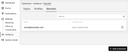
This is where the blocklist comes in: Whenever a sent email hard bounces or is reported as spam, Automations places the recipient’s email address on the blocklist. Furthermore, if there is a profile associated with a blocked email address, the next time a mailing is unsuccessfully sent to the email address of this profile, all of its subscriptions will be canceled in order to keep the topics free of blocked subscribers.
These measures will cause any attempt to send another email to a blocked address to fail, and a processing error to be output on the “Recipients” tab of the mailing concerned.
If a blocked email address later proves to be working again without problems, you can remove it from the blocklist at any time. However, this will not restore any subscriptions that previously existed for this address.
A well-maintained recipient database is extremely valuable. So if your mailing recipients originate entirely or partially from another system, such as a CRM system, you will most likely want to block problematic email addresses there as well.