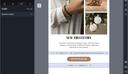
Since this is not a native option, this article explains how to hide an element for desktop.

Hiding an item only for desktop

How to proceed
Drag & drop a code element before and after the element you want to hide on desktop.
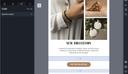
Inside the first code element, copy and paste this code:
<!--[if !mso]><!-->

<div style="display:none; font-size:1px; color:#000000; line-height:1px; max-height:0px; max-width:0px; overflow:hidden; mso-hide:all;" class="m_v t_v">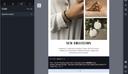
Inside the second code element, copy/paste this code:
</div> <!--<![endif]-->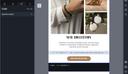
Once these steps have been completed, your block will be hidden for desktop.
This will only be active when proofing or sending through your CRM/ESP tool. You will not be able to test it directly via the Email Builder.