Recording purposes of use for contacts/addresses

The General Data Protection Regulation requires proof of a legal basis for the purpose of processing per­sonal data (Section 6 of the GDPR). For this, the following means are available:

  • The data protection dialog for persons (Additional data/Data protection) serves to capture purposes of use, given or refused consent, a mail or email series lock, and a validity date (retention period or expiration date). It is initially empty and can be set manually or functionally.
  • The log of the purpose of use servers to document all changes and references the respective activity (e.g., telephone call, mail), IP address, etc.
  • When importing persons, a purpose of use can be assigned to them.
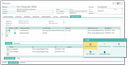
“Data protection” tab

Capturing data protection attributes

List of purposes of use

Here you can document the purpose for which a person was recorded in the system and the legal basis for this. It is absolutely legitimate to record personal data for different processing operations, which means that several purposes of use can be recorded for one person.

It is also possible to extend the purposes of use beyond what is legally necessary if, for example, you want to legally secure the use of different communication channels. Each purpose of use must be legitimized by a legal basis and may be complemented by a reference to the source. However, purposes of use only become valid by setting the Active property.

Description

The description for each purpose of use. The text is read-only and can be maintained in the corresponding administration list.

Protocol

The protocol of changes for each purpose of use (Protocol tab). JustRelate CRM automatically adds every action related to a purpose here, making it possible to track its development.

Administration of the GDPR standards

Purposes of use

The customer administrator defines the intended purposes of use centrally, including a longer description.

Active

The purpose of use is active and can also be activated when the person is selected.

Web

Releases an external purpose for a web page.

Standard

If needed, the purposes that are automatically assigned to new persons can be specified.

Copy to all persons

Subsequently provide the selected persons with a purpose of use.

Copy to adhoc list

The selected purposes are transferred to all persons in the selected ad hoc list.

Note: Some purposes of use are suggested in the delivery status, but these are not binding. It therefore makes sense to adapt this list to the individual legal situation and working methods.

When merging duplicates (Clean up function of person contacts and in the admin clean up list), the purposes stored in the master and in the duplicates are also taken into account.

The simple rule applies: In the case of identical purposes, the purpose with the most recent modification date always wins. Earlier purposes are deleted. The log is completely merged so that all changes can be traced back.

A legal basis can be centrally assigned to each intended purpose of use. These are also specified adminis­tratively, but are already defined by the GDPR and included in the CRM standard. A change is nor­mally only necessary if the General Data Protection Regulation is amended or extended.

The “consent” legal basis is a special case. It requires proof of legally recognized consent from the data subject.

Source

As part of the legally compliant documentation, the source of the legal basis is used.

Note: This is also a list of suggestions that should be adapted depending on the working method.

Importing contacts

When using the contact import tool for personal data, this data can also be assigned a purpose for processing and the corresponding legal basis. Depending on the source of the contact data, this may already be available, which requires activation during import. For this reason, the “Active” property is available in this tool.

See also: Contact import tool: Import data

The default settings for the selected processing purposes are defined by the Standard option in the cen­tral administration list. This is merely a suggestion.

For the import of person data without a valid legal basis, the desired purposes of use are selected with­out setting them as active. When these contacts are post-processed, a valid legal basis must be obtained promptly, since otherwise storing and processing the data is no longer permissible.

In addition, the imported contacts can have a retention period (Valid until...). A date can be entered up to which, for example, a legal retention period applies. This makes it possible to later mark contacts as inac­tive or even delete them from the CRM system once the validity has expired.