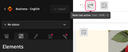
To go back and undo an action in the Designer:

How can an action be undone or restored?
Undoing an action
- Click on “back arrow”, in the area just above your email. Each click cancels the previous action.
- Or use the keyboard shortcut Ctrl + Z (on PC) or Cmd + Z (on Mac).
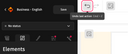
Restore an action
To restore an action undone by mistake, you can:
- Click on “forward arrow” in the area above the email. Each click restores the previous action.
- Use the keyboard shortcut Ctrl + Shift + Z (on PC) or Cmd + Shift + Z (on Mac).