In the Designer, dynamic content needs to be updated to view the latest information.

Synchronizing dynamic content
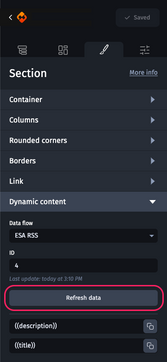
To do this, simply select each element associated with a dynamic flow, access the “Dynamic content” category and click on the “Refresh data” button.
Please note, if you have made changes not to the content, but to the structure of the dynamic flow, you must import it again.