Configurable timeout for REST calls. [#184399507]
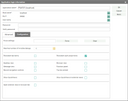
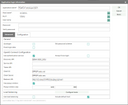
To prevent infinite calls the outgoing REST call can now have a timeout.
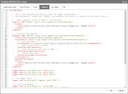
The timeout can be defined in the PscRstAut object which is passed to the PscRstCli constructor. If no timeout is defined 5 minutes will be used. This value can be defined in the server property file with the key psc.rst.def.tio (for example 1m for 1 minute or 10s for 10 seconds)
Visit report: the follow button has a new icon (check mark or X) [#184382773]
The icon of the following button in the visit report mask was changed to a check mark or X. So it is consistent with the read button.
Push notification: Devices are disabled if the push caused an error (for example if the device no longer exists) [#184427454]
If a device is not available anymore the push service receives an error. Because of this error the devices are now disabled to prevent further pushes to this device.
Google: Directly accept appointment proposed changes in the mailbox [#184459924]
If an attendee proposed a new appointment time the organizer is now able to accept this change int mailbox. This was not possible in the past for the Google interface.
Fix for displaying checked-in mails in the mailbox that are not readable [#184315531]
If the mail is not readable for me in PisaSales but it is in my mailbox then the mail is displayed with the data from the groupware. Functions like Reply, Forward, Assign project will not work because for these functions the not readable mail record is needed.
Slack: Format telephone numbers in messages from PisaSales so that they are callable on a mobile device [#184546005]
If a Slack search command is sent to PisaSales and in the response is a telephone number, then the number is now callable on a phone.
Slack: Unfurl PisaSales object links to a form with the object data [#184539928]
For contacts the same dialogs as for /jrcontact, /Jrdocument and /jrticket are used. For all other object types the corresponding QuickView dialog is used to gather the relevant data.
Groupware: Synchronize recurring appointments like external appointments [#183049142]
Series in the groupware can be imported as external appointments. This makes them read only in PisaSales and prevents conflicts.
“Show in form” function in the message list to open multiple objects at once [#184584210]
The message list now has a new menu function “Show in form” to open multiple objects that are related to the message in their individual main form.
Check-in of e-mails from Google is now generating a header in the mail body with important information [#184594664]
The header contains the sender, the sent date, the recipients (TO, CC, BCC), the names of the attachments and the subject.
The benefit of having this header is when you reply or forward the mail, the original information is retained. Also in activity lists where you don’t have the sender or recipients you can see this.
Slack: New action to create activities in PisaSales based on a Slack message [#184693359]
At a message the new action “New activity” will open a dialog for entering additional information. This includes the activity type (task, appointment, call), the subject, a note, the responsible person, a contact and the due date. With this data plus the text of the message a new activity will be created. Also attachments of the message are added to the activity as documents. As confirmation the user will receive a message from the PisaSales Slack Bot containing the activity data and a link for opening the record in PisaSales.
GDPR confirmation mails based on a PisaSales HTML template now support embedded images [#184767355]
The confirmation mail for changes in the GDPR purpose of uses can now use PisaSales templates which embed images.
Patched in 8.1 (15)
Suggestion of appointment location now handles contacts without addresses correctly. [#184671863]
A bug was fixed for appointments where the main contact has no address. The bug happened if the user tried to select a location for the appointment.
The service object tab in the contact dialogs was named “Objects”. To eliminate name collision the tab was renamed to “Service objects” [#184672361]
The tabs in contact forms that shows the service objects were named “Objects”. This name collided with the tab that shows objects. To have unique names for the tabs the service object tab was renamed to “Service objects”.
The timestamp function is now customizable [#184698590]
By overriding the method newPsaGenIniStr in the object factory PsaObjFac the customizer can modify the content of timestamps.
Push to devices can now be disabled if the user is logged in with a client [#184427505]
If the user is logged in there may be no need to push messages to mobiles devices and Slack because the user gets the notification by the PisaSales client. This option can be turned on or off by the user in the device configuration under “My data”. There the user can also disable the push notifications if they are outside of the current working time model.
Both options are environment variable (PSA_PSH_NTF_QUE_SND_ONL and PSA_PSH_USE_WTM)
Performance improvements for the groupware activity import (external appointments) [#184777548]
This applies to the job GRW_SYN_ACT_PEX. In the parameters of the job you can configure the number of threads that are used for various tasks. The key THR_EXT defines the number of threads for the external objects. The default is the number of CPU cores divided by 4.
Convention badge scan with dynamical field mapping [#184856818]
For the convention badge scan in the touch app it is now possible to add a dynamical field mapping on the server side for each convention. This makes it possible to set which field of the api response goes to which Pisa field. Example: “City” to “CIT”, “Company” to “ORG_NAM”, …
Automatic email import feature in the mailbox removed [#184777517]
The feature that mails in the inbox are automatically imported when the users opens his mailbox is not used by anyone. There is already a job which does that. To remove the complexity and only have one source for the imports, this feature was removed.
Show appointments from foreign calendars in the personal calendar for all selected users [#184711151]
The personal calendar now shows the entries from the foreign calendars of other users. The entries are shown in the color of the user.
Automatic logout after an adjustable period of inactivity [#183231240]
The job "Timeout sessions" (PSA_SSN_TIO_LGO) ends user sessions after a defined period of time. The timeout in minutes can be configured at the jobs parameter.
A session is active if it opens a dialog or tab, fetches data, edits a field, saves a dialog or aborts a dialog.
The implementation does not end PSC admin sessions, sessions with a modal dialog or a dialog that is in edit mode.
External mail system: synchronization of the communication language [#184962435]
In the configuration of the mapping for the external mailing system the language (field 19) can be selected as an import field.
For the export a reference to the PisaSales field could be COM_LNG_NAM_GER@PSA_CON.PSC_GID=FAT_GID or any other field the customer wants to use.
Validate successor's e-mail address automatically [#184866664]
In the two dialogs for changing the name of an organization or the corporate change the email address is verified with the same pattern as in the contact base forms.
Mark appointments created with the fair report in enterprise system as "Lead Request" category [#184833669]
The fair report wizard started from the marketing project forms now sets the classification of the created appointments to “Lead request”
Import of multiple conventions at once to the fair plugin [#183711613]
It is now possible to transfer multiple conventions at once to the fair plugin. The first of transferred conventions is considered to be the current convention and will be selected automatically. The media libraries are downloaded in the background and for one convention after the other.
Windward V22.4 support [#185018337]
A new print server version for Windward Reports version 22.4 is available.
Additional views in project documents [#184439685]
The document list of projects now has two additional view options:
Load response from Neoletter: set the refresh date [#185052012]
If the response is loaded from Neoletter the refresh date in the response tab is now set to the current date even if no new responses were imported.
Implement report engines in the repository [#185080153]
You can now define your own report engines in the customizing with an implementation in the repository.
For this you make a new entry in Administration > Reports > Reporting tools
You can use a global and fixed implementations:
Activity series: if a generated series is modified, the start dates are shifted to the future [#185098763]
If you modified an activity series and recreated the generated activities then you got a gap in the dates.
Patched in 8.1 (17)
Document usage: objects are missing [#185098895]
In the Chronos definition of the documents the objects were missing.
CleverReach: support for the new editor [#185042290]
CleverReach offers a new editor for their mailings.
When new mailings in CleverReach are created by PisaSales the type of editor has to be specified. Now the new editor is always used. This default behavior can be changed with the variable PSA_CLV_RCH_USE_NEW_EDT.
External mailing system: validate the field mapping [#185266140]
The check function in the admin list of the field mapping (Administration > Activities > Correspondences > External mail system: field mappings) now checks the definition of the PisaSales field. This verifies that the referenced data objects and fields are accessible.
The existing check if the field is defined in the external mailing system is still done.
Add priority icon to all activity quick views [#185274826]
The QuickViews for activities now show the priority as an icon.
Set reply-to address in Neoletter [#185266103]
The reply-to address that is set in the PisaSales email series form is now used for new Neoletter mailings as the reply-to address. The address can still be changed in Neoletter.
CleverReach: Blacklist import [#184962483]
In external mailing systems like CleverReach or Inxmail you can maintain blacklists. Those blacklists contain email addresses or patterns like *@domain.org. If the email address of a recipient matches a blacklist entry, this recipient can not be added to the mailing or is not receiving the mailing (this depends on the used mailing system).
Because the mailing system is handling the recipients, those blacklists would only be some kind of documentation in PisaSales. Because of that, the interface to the mailing system contains a new method for fetching the entries. But there is no standard functionality on what to do with those entries. If the customer wants to see or do something with those entries, it is up to the project to fetch the entries over the interface and implement the following logic.
Hide inactive user from the access control dialog [#185266063]
When a user leaves the company and is set to inactive, the user can still be selected in the access dialog.
There is a new internal staff function named “Activate access group”. This function is part of the internal staff template “Lock the login”.
This function can remove or add the persons access group from or to the access group PERSONS. This group is responsible for the display inside of the access dialog. In the customizing there is the option that the persons access group is not simply removed from PERSONS, but moved to another group like FORMER_PERSONS. To enable this option the target group name has to be defined in the variable PSA_PRS_INA_ACC_GRP.
Remove the hidden GID text from mail bodies [#185402401]
In the past the primary key (PSC_GID) was added to the body of an outgoing email. This is done to prevent a duplicate check-in if the mail is sent to a colleague who then synchronizes the mail.
This may ruin the layout of the mail. In case you send the mail over the server groupware or SMTP the primary key is embedded in the Message-ID to get the same functionality.
To fix this the primary key is not added anymore to the body.
If there is the need to reactivate this feature the customizer can create a variable named PSA_EMA_ADD_GID_BDY and set the value to y.
We don't ship this variable in the standard installation.
Add "Show in Form" to the response sublists in series emails [#185381270]
In an email series you can now open multiple contacts from bounces and unsubscriptions list.
Backport Neoletter integration to 8.0 [#185313259]
The current state of the Neoletter integration was backported to PisaSales 8.0 with patch 20.
When this patch (or a later one) is installed, there is the need to also update the dependency PsaNeoletter_1.2.0.jar
Custom local filters for staff list [#183559002]
For the staff list in back office it is now possible to add custom filters or favorites by the user. In order to do so one needs to click on the filter symbol on the right above the list to switch to the filter list. From there one can create a new filter by pressing the plus button in the bottom right corner. It will ask for a name for the filter and afterwards allow to choose which contacts to include to the filter. It will save the choice automatically. Once all desired contacts are chosen one can return to the filter list by using the filter button on the right above the list again. The filter will be displayed by the previously chosen name. Now it is possible to select the filter to apply it. On swipe there are actions available to edit the filter name and contents again or to delete it. It is also possible to edit or create filters while (other) filters are applied. This makes it possible to easily remove contacts from an existing filter or to add contacts present in one filter to another.
Itext dependency removed due to license issues [#185558536] [#185727373]
The dependency to itext was removed in older versions because it was unclear if we violate other licenses of code that was used by itext.
The dependency was replaced by the openPDF library. This means that if a patch is installed this new jar has to be installed too.
That affected the versions from 6.4 up to 7.5
Send email series over the groupware [#185627419]
It was not possible to send email series directly of the groupware (Exchange or Google). It was only possible to send over a SMTP server. “Normal” emails already supported the sending of the groupware.
This was only a patch in 8.1 (20)
Synchronize images in HTML appointments to Google and Exchange [#185420971]
Images that were embedded in the HTML note of appointments were not exported to the groupware.
In Google and Exchange these images are now exported as attachments.
In Patch 20 for 8.1
Classloader problem with two implementations that have the same name [#185655366]
It was not possible to have an implementation with the same name as a dynamic Java implementation. This resulted in a error when it was tried to load the dynamic Java class.
Patched in 8.1 (20)
Title of the persons in a call misleading [#185757085]
The title of the two contacts in the call form were not very clear.
The title for the internal contact was changed from "Gespräch von / Talk of" to "Zuständig / Responsible". And the title for the other contact changed from "Gespräch mit / Talk with" to "Telefonat mit / Call with".
Now the naming is more like in the other activity types. Who is the caller and who is called is only defined by the type of the call (incoming / outgoing).
Doublet departments with routes can not be merged [#185757744]
Two departments which are referenced in a route and that are doublets to each other caused an error when merged. The address of the doublet department violated the check condition of the relation.
Patched in 8.1 (21)
New version of the industry structure [#185765146]
Our existing industry data was old (2003) and had no English translation. We replaced the records by the newest version from “Statistischesbundesamt”. This includes the English translation. Only the first three have been imported.
A new installation now gets the new industry structure. For existing customers nothing changes because it is not possible to map to the new records. If a customer want this new records he has to do a migration on its own.
Correct the visit report function "All participated" [#185697298]
The button “All participated” now only changes the status of the contacts that are participants. Contacts that are only in the dispatch list are not touched.
Email sync dialog shows no recipients and attachments [#185812997]
If you synchronize an email to PisaSales then the sync dialog shows an empty recipient and attachment list. This only affected the display in the dialog. The data was nevertheless imported.
Patched in 7.6 (28), 8.0 (21) and 8.1 (21)
REST API
Incoming and outgoing REST framework that provides a standardized way to build APIs for customers.
Neoletter topics [#185535850]
The subscribers of topics in Neoletter can now be synchronized with distribution lists in PisaSales. New mailings that are created for such a distribution list are assigned to the selected topic.
Patched for 8.1 (21)
Change behavior of recipients "Sent" flags when using Neoletter [#185362247]
When the response of a Neoletter mailing is imported to PisaSales, the processing state for each recipient is also imported. Because of that, the “Sent” flag in the recipient list now shows if the recipient is already processed by Neoletter. This is relevant for mailings with a lot of recipients to see a progress of the sending process until the whole mailing has been sent.
CSV export/import: add BOM to UTF codepage [#185918454]
For the CSV export and import the user can now select an UTF codepage that includes a ByteOrderMark (BOM). Those special codepages are UTF-8+BOM, UTF-16BE+BOM, UTF-16LE+BOM, UTF-32BE+BOM and UTF-32LE+BOM. Including codepages for the export have the advantage that the consumer knows which codepage to use. For example Excel can detect a UTF-8 encoded CSV if the BOM is present.
Contact import: A wrong field mapping causes an NPE [#185878818]
If you enter a wrong field name in the mapping of the contact import this causes a NPE during the import.
To avoid a long search where the error comes from, as soon as the definition is modified it is checked if the data object(s) and the field are valid. If not, a message with a description of the problem is shown.
8.0 Patch 21
8.1 Patch 21
Follow-up email: clear reply-to address [#185947741]
If you reply to an email in PisaSales the reply-to address and name are now cleared in the copy.
Patched in 8.1 (21)
Google connector: missing images in HTML mails [#185999163]
Depending on the mail program the sender is using it may happen that images in HTML mails are not displayed in our mailbox. Even importing the mail has not made the images visible. This could happen if you are using the Google connector.
Patched in 8.1 (22)
Use macros in the trend center [#185930508]
Macros you use in the drill-down are now passed to the trend center. Those macros like “My” enable you to build more universal trend center configurations that can be used by multiple users.
8.1 Patch 22
New option to disable the automatic generation of fax numbers [#185982207]
The fax number is now no longer generated from the commercial number.
If a customer unexpectedly wants to reactivate this behavior, the (secret) variable PSA_CON_CPY_TEL_COM_FAX needs to be set to y.
8.0 Patch 22
8.1 Patch 22
Microsoft SQLServer 2022 support [#186070704]
The newest version of SQLServer can be used if the JDBC driver is updated to version 12.4.1.
With the newer JDBC the version SQLServer 2012 is not supported anymore!
Access group identifier may overflow [#186091181]
If you have more than 500 departments, 2500 employees or 500 personal access groups the ID number of the access group will overflow a limited range of numbers. This resulted in an invalid ID of 0.
Now the next free ID outside of this range is automatically calculated when the range is exceeded.
Licenses: named user licenses are now enforced [#185638812]
The license PSC_RUN needs to be a named user license. Otherwise a client login is not allowed anymore. The user CUSTOMIZER is the only user that can login with the need for the named user license. So this user can update the old licenses.
The server start is not affected by this change.
Fixed: Questionnaire with the input type "once" can be answered twice [#186149821]
If a questionnaire was defined with the input type once you can not open the questionnaire if there are already answers for the same objects (contact, project, activity).
But if two users start the questionnaire at the same time two sets of answers are saved.
To prevent this, it is checked when the questionnaire is finished that there are no answers for the same objects. In case there are answers a message is chown and the questionnaire is closed.
8.1 Patch 22
Convention badge scan support for API of Deutsche Messe AG [#186012825]
The touch convention badge scan now supports the API of Deutsche Messe AG along with the previously implemented support for Convention Data Service’s xpressleadpro API.
Better time zone handling [#186191634]
The touch app now tells the touch backend the actual time zone instead of an offset only. This makes the behavior more reliable. Especially it fixes the case where Europe\London with the base offset of 0 was handled as GMT by the backend which does not use daylight savings and therefore led to wrong time calculations during that time.
Enable filter by property note for standard users [#183723617]
Filtering objects (e.g. contact or projects) for properties now allows a user with the standard view in the filter dialog to search for property notes.
Uploading more than 10000 recipients to CleverReach fails [#186198534]
Cleverreach is only allowed to upload 10000 recipients with a single request. If you had more recipients in PisaSales the export would fail. Now the recipients are exported in blocks to not exceed the 10000 limit.
Patched in 8.1
prefetch "Select multiple contacts" form in projects with customers employees [#183714271]
The prefetch for contact selections now tries to load the employees of the associated customer in case the father object is a project. If no employees are found the default behavior of loading the last used contacts is then executed afterwards.
Do not transfer non selected positions from quotes to orders [#183888735]
If you transfer a case to an order (sales or service) only selected products in the scope of delivery are transferred to the order.
If the customer wants a different behavior, the class PsaProRecCop can be customized.