This release streamlines common editorial and administrative workflows. It also helps developers with keeping content-heavy websites available, even under high load.

Scrivito JS 1.19.0 Released
Posted on January 10, 2021
Finding page and widget types more easily
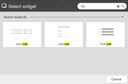
When adding a widget to a page or a page to the website, editors now have a search box available in the corresponding selection dialog to quickly find the desired widget or page type.
Duplicating assets in the Content Browser
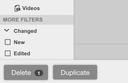
Using the Content Browser, you can now duplicate any piece of content. In particular, assets such as images no longer need to be downloaded and then uploaded again just to create a slightly modified second version. Instead, you can now duplicate them by means of the corresponding button we’ve provided, and then use the built-in image editor to adjust the copy as needed.
Uploading to binary attributes
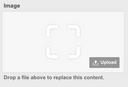
If you are using custom binary attributes in your project, for example to handle different versions of the same image, you can now upload files to them using the Content Browser.
Providing a description for teams
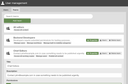
When setting up a team and thereby defining its responsibilities, it may be helpful for an admin to be able to determine the function or task of the already existing teams. For this, teams can now be given a description which could also be used to record other pieces of information, e.g. contact data.
Configurable priority of backend tasks
Time-consuming backend tasks can now be run in parallel without affecting the performance of the live site. See the priority option of Scrivito.configure for details.
Logging out as an editor
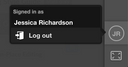
Editors can now log out from Scrivito’s editing interface using the “Log out” menu item that shows up after clicking their initials near the bottom of the sidebar.